Lightweight screen capture utility with transparent capture window and basic editing effects for quick screenshots
Lightweight screen capture utility with transparent capture window and basic editing effects for quick screenshots
Vote (4 votes)
Program license Free
Developer Patrice Zwenger
Version 1.9.4039
Works under Windows
Vote
(4 votes)
Developer
Patrice Zwenger
Works under
Windows
Program license
Free
Version
1.9.4039
Pros
- Simple and intuitive transparent selection window
- Basic image editing and effects included
- Low resource consumption
- Quick access to commonly used screenshot functions
Cons
- Lacks advanced features such as window-specific capture or batch processing
- No built-in annotation or markup tools
- Does not maintain a library of previous captures
A lightweight screen capture tool with image editing and effect options.
Overview
CaptureScreen provides a straightforward solution for taking screenshots on Windows systems. Designed for users who prefer simplicity, this application offers essential features without unnecessary clutter, making it suitable for quick screen capturing and immediate image adjustments.
User Interface and Usability
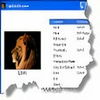
The application features a unique transparent capturing window that serves as an intuitive way to select specific areas of the screen. Users can position or resize this window over the desired region, and anything beneath it will be saved as an image. This visual approach makes the selection process clear and avoids confusion common with more complex tools. For capturing the entire display, a context menu option allows users to take a full-screen snapshot quickly.
Navigation within the tool is menu-driven, minimizing the learning curve. Operations such as copying images to the Clipboard, applying effects, or generating thumbnails are accessible via right-click context menus, streamlining the workflow for repetitive tasks.
Editing and Effects
After capturing an image, CaptureScreen provides several built-in editing functions. Users can convert images to grayscale, adjust basic color properties, or transform captures into sketch-like visuals. Generating thumbnails is also available, catering to those preparing content for web pages or organizational purposes.
While the editing capabilities cover common needs, they remain basic and do not extend to advanced annotation, cropping, or multi-step editing found in specialized graphic software. However, for quick tweaks and sharing, the selection is practical.
Performance and Compatibility
CaptureScreen operates with minimal resource usage, ensuring smooth performance even on older machines. The installation package is compact and the program loads rapidly, making it ideal for users who require a responsive tool for routine screenshots. Compatibility with various versions of Windows further enhances its accessibility.
Limitations
CaptureScreen focuses on core functionalities and does not include features typically found in more comprehensive screen capture utilities. There is no option to capture specific application windows directly, schedule multiple sequential captures, or manage a collection of previous screenshots within the app. Users requiring batch capture options or extensive annotation tools may need to pair this utility with additional software.
Summary
CaptureScreen targets users looking for a fast, reliable way to capture and slightly edit screen images. Its transparent selection window and menu-based editing provide a practical experience, though it is best suited for those who do not require advanced features.
Pros
- Simple and intuitive transparent selection window
- Basic image editing and effects included
- Low resource consumption
- Quick access to commonly used screenshot functions
Cons
- Lacks advanced features such as window-specific capture or batch processing
- No built-in annotation or markup tools
- Does not maintain a library of previous captures